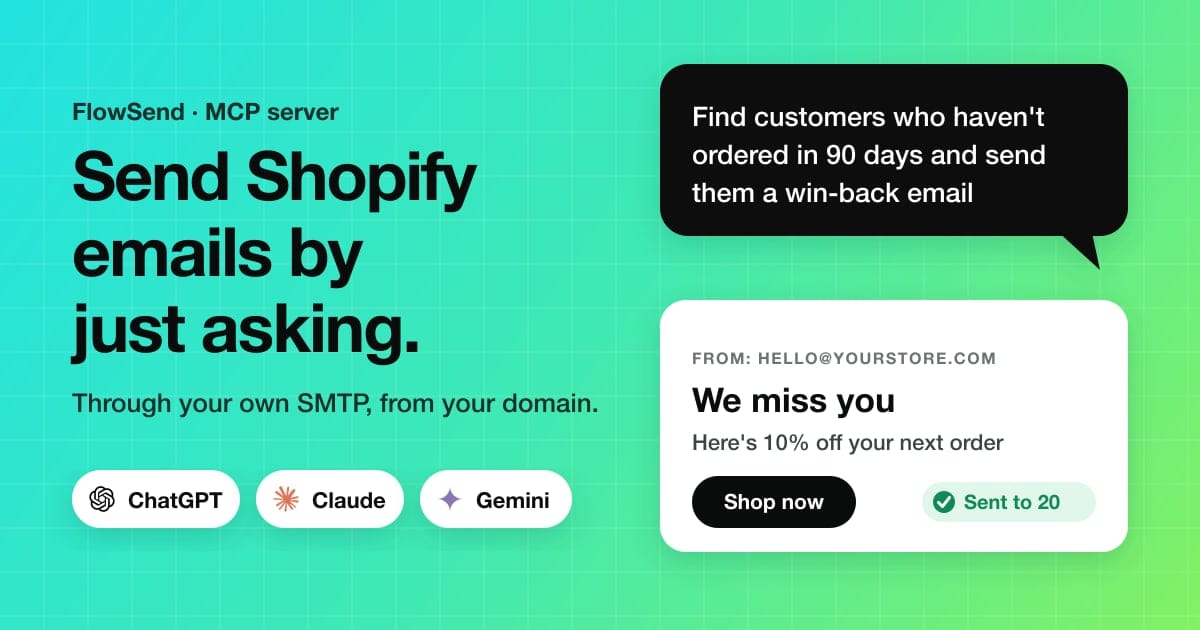
Connect ChatGPT, Claude or Gemini to your Shopify store and send order, win-back and test emails through your own SMTP, just by asking. Setup takes 2 minutes.
How to Send Shopify Emails from ChatGPT or Claude Using Your Own SMTP
Can ChatGPT send emails? On its own, no. It can write an email, but you still copy it into your email app, find the right customers and press send yourself.
Connect it to FlowSend and that changes. ChatGPT, Claude or Gemini can find the right customers in your Shopify store, write the email, and send it through your own SMTP: your Gmail, Outlook, SendGrid, Amazon SES or company mail server. The email comes from your domain, and you just type what you want.
"Find customers who haven't ordered in 90 days, write a win-back email with 10% off, and send it to the first 20."
Key takeaways
- ChatGPT, Claude and Gemini can send Shopify emails once connected to FlowSend's email MCP server.
- Emails go out through your own SMTP (Gmail, Outlook, SendGrid, Amazon SES or any server), from your domain.
- Send to up to 25 people per request, send test emails, or schedule up to 30 days ahead.
- Setup takes about 2 minutes: copy one link, add it as a connector, approve.
This guide shows what you can do, how to set it up in about 2 minutes, and what to watch out for.
What you need
- A Shopify store with FlowSend installed (start for $1 on Shopify, then from $9.99/month).
- A working SMTP connection in FlowSend. Any provider works: Gmail, Outlook and Microsoft 365, SendGrid, Amazon SES, Brevo, Mailgun, Postmark, Resend, Zoho or any custom SMTP server.
- ChatGPT, Claude or Gemini. Which one you can use depends on your plan (see below).
How it works: an email MCP server for your store
FlowSend has its own MCP server. MCP (Model Context Protocol) is the open standard ChatGPT, Claude and Gemini use to connect to apps. You don't need to know how it works: you paste one link into your assistant, and it can then use FlowSend for you.
Once connected, your assistant can:
- Read your store: customers, orders, products, sales and abandoned checkouts.
- Check your email setup: emails sent, failed and bounced emails, the queue and your SMTP connection.
- Create and edit email templates in FlowSend.
- Send emails through your SMTP, now or scheduled.
You choose which of these it is allowed to do.
ChatGPT on its own vs connected to FlowSend
| ChatGPT or Claude alone | Connected to FlowSend | |
|---|---|---|
| Write an email | Yes | Yes, saved as a template in your store |
| Find the right customers | No, you export and paste them | Yes, from live Shopify data |
| Send the email | No, you copy it into your email app | Yes, through your own SMTP |
| Schedule, test, retry | No | Yes |
| Check SMTP and bounces | No | Yes |
Send emails from ChatGPT or Claude
When you allow Send email, your assistant can:
- Send an email to one customer: "Send the order delay email to the customer on order #1042."
- Send to a small list: "Send this email to the 20 customers you just found." Up to 25 people per request.
- Send yourself a test email: "Send me a test of the win-back email first."
- Schedule an email: "Schedule it for Friday at 9am." Up to 30 days ahead.
- Cancel or retry: "Cancel the email I scheduled for tomorrow." "Retry the emails that failed today."
Every email goes out through the SMTP account you connected in FlowSend, so it is sent from your address (for example [email protected]), not a shared one. It shows up in your delivery logs like any other FlowSend email.
For larger lists, use a Shopify Flow workflow or your marketing app. The assistant is built for quick, targeted sends.
Check your SMTP and email delivery with AI
This is the part most store owners don't expect. Instead of digging through logs, just ask:
- "Is my SMTP connection working?" or "Test my mail connection."
- "Which emails failed or bounced this week?"
- "What's waiting in the email queue?"
- "How many emails have I sent this month, and how many are left on my plan?"
If something is wrong, the assistant tells you what failed and when. For fixes, see email troubleshooting.
Write and design Shopify email templates with AI
With Edit templates allowed, your assistant builds and edits emails right inside FlowSend:
- Write new emails: "Create a win-back email with a 10% discount." "Write an order delay apology."
- Start from the template library: "Copy the shipping confirmation template and make it friendlier."
- Change the design: headings, text, buttons, images, columns, colours, fonts, spacing, your logo and accent colour.
- Add order details: order items, totals, shipping address, tracking link, refund details, gift card or abandoned cart.
- Fix things in bulk: "Replace the old sale link in every template." "Add image descriptions to all images."
- Translate and organise: add translations, rename, duplicate, categorise, or turn templates on and off.
- Check before you send: "Preview this email and check it for problems."
Ask about customers and orders
With View store data allowed, your assistant can pick the right people to email:
- Customers: "Who are my biggest spenders?" "Which customers haven't ordered in 60 days?" "Who is subscribed to marketing?"
- Orders: "Show unfulfilled orders." "Which orders were refunded?" "Where is the tracking for recent orders?"
- Products and sales: "What's low on stock?" "What are my best sellers?" "How much did I sell in the last 30 days?"
- Abandoned carts: "Who left items in their cart recently?"
3 email jobs you can do in one message
- Win-back email: "Find customers who haven't ordered in 90 days, write a win-back email, and send it to the first 20."
- Order delay email: "Which orders are still unfulfilled? Send each of those customers a delay apology."
- Branded order confirmation: "Make my order confirmation template match my brand colour and add a tracking block."
Set it up in 2 minutes
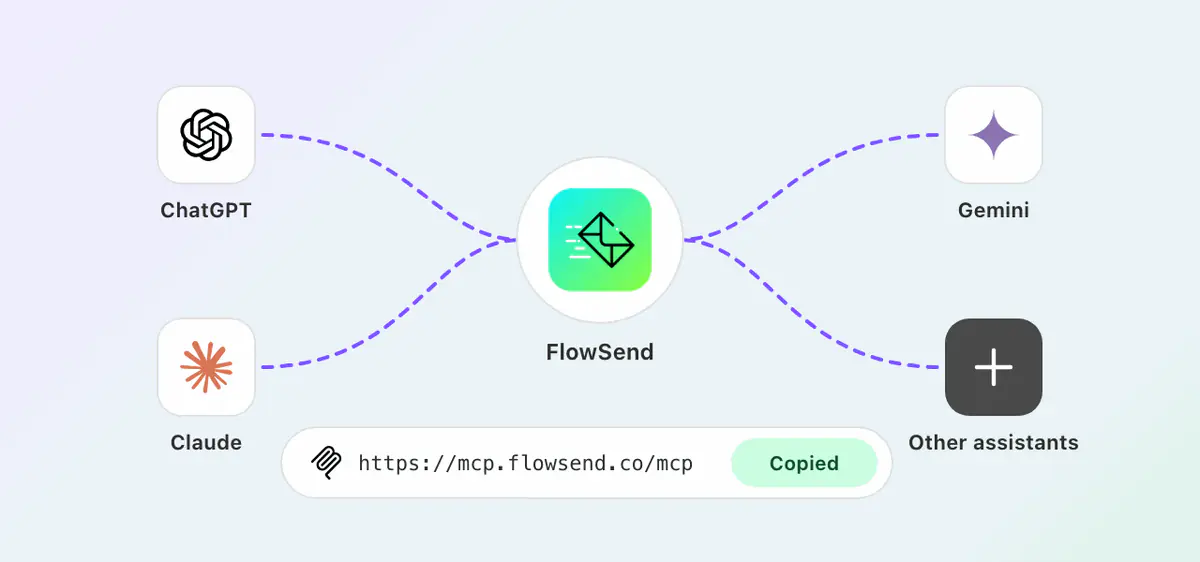
One link connects ChatGPT, Claude, Gemini or any other assistant to FlowSend.
- Connect your SMTP in FlowSend if you haven't yet, and send a test email.
- In FlowSend, open Settings › AI access and copy the MCP server URL:
https://mcp.flowsend.co/mcp - Add it to your assistant as a custom connector:
- ChatGPT: Settings › Apps & Connectors › Create.
- Claude: Settings › Connectors › Add custom connector.
- Gemini and others: look for Connectors or Integrations in settings.
- Sign in to your Shopify store and choose what it can do: View store data, Edit templates, Send email and Delete templates.
Start a new chat and ask: "Is my mail connection working?" Full walkthrough: connect ChatGPT, Claude or Gemini to FlowSend.
Install FlowSend: $1 first month
What it won't do
- Change your plan, billing or SMTP password.
- Edit or delete customers, orders or products. Store data is read-only.
- Send to more than 25 people in one request.
- Send without a working SMTP connection.
Two things to keep in mind:
- Every email counts towards your plan's email allowance, the same as emails from Shopify Flow.
- Sends and deletes happen straight away. There is no extra confirmation step inside FlowSend. Only allow Send email and Delete templates when you need them, and always send a test to yourself first. The History tab in Settings › AI access shows everything each assistant did.
Which plan do you need?
AI access is included in every plan:
| Plan | AI assistants | Connections |
|---|---|---|
| Professional | ChatGPT | 3 |
| Advanced | ChatGPT, Claude and Gemini | 5 each |
| Enterprise | Any assistant, including Grok and Perplexity | Unlimited |
Compare plans. Plans start at $1 for your first month.
Try it today
Install FlowSend, connect your SMTP, then paste the link into ChatGPT or Claude. See everything you can ask on the FlowSend MCP server page, or catch up on what's new in FlowSend 2.0.
FAQ
Can ChatGPT send emails?
Not by itself. Once you connect it to FlowSend, ChatGPT can send emails from your Shopify store through your own SMTP, to one person or up to 25 at a time, and schedule emails up to 30 days ahead.
Can Claude send emails?
Yes, the same way. Connect Claude to FlowSend (Advanced plan or higher) and it can write, test, schedule and send emails through your SMTP.
Is there an SMTP or email MCP server for Shopify?
Yes. FlowSend's MCP server lets ChatGPT, Claude, Gemini and other assistants send email through your own SMTP and read your Shopify customers and orders. The URL is https://mcp.flowsend.co/mcp.
Which SMTP providers work?
Any SMTP server: Gmail and Google Workspace, Outlook and Microsoft 365, SendGrid, Amazon SES, Brevo, Mailgun, Postmark, Resend, Zoho and your own mail server.
Will the emails come from my own domain?
Yes. FlowSend sends through the SMTP account you connect, so emails come from your own address and domain.
Can my AI assistant change my orders or customers?
No. It can read customers, orders and products, but it can't edit or delete them.